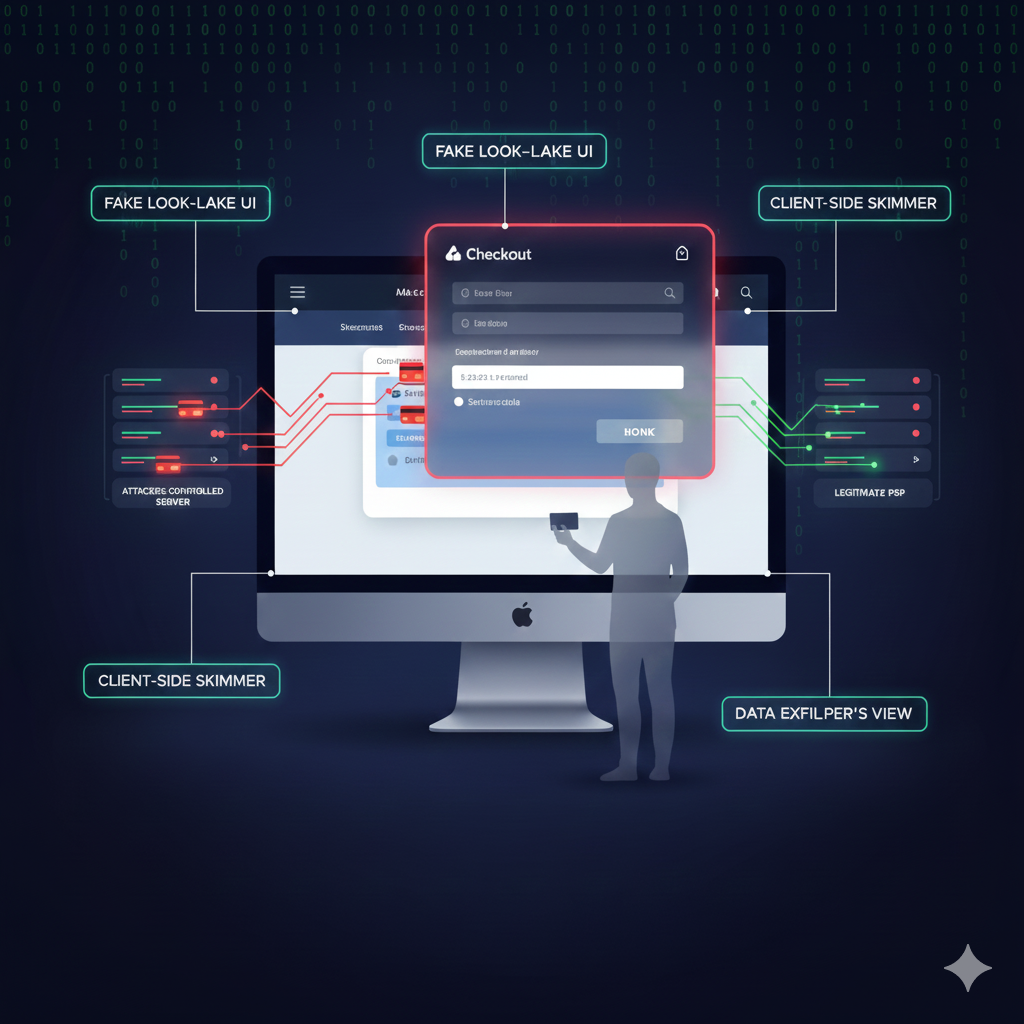
FAKE STRIPE FORMS SHOW WHY PAYMENT PROVIDERS CAN’T PROTECT REAL SHOPPERS
Attackers found a way to turn Stripe’s trusted checkout into a fake, look-alike experience that only real shoppers ever saw—leaving admins, QA, and especially the PSP itself unaware that card data was being skimmed in the browser.
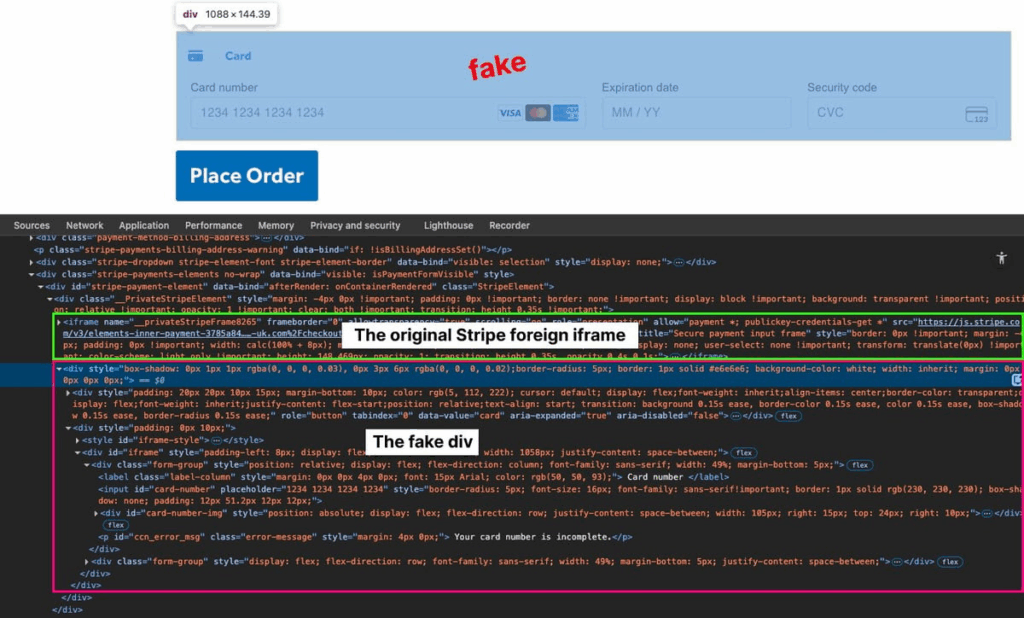
Instead of attacking Stripe directly, they hid the legitimate Stripe iframe and overlaid a counterfeit Stripe-style form so shoppers believed they were entering their card details safely, while their payment and personal data were quietly sent to an attacker-controlled server.
Because this attack lived entirely in modified JavaScript on the site and was triggered only for genuine shoppers—not test users or administrators—internal testing looked normal and the PSP continued processing as usual.
The incident shows that even with a leading PSP like Stripe in place, you are not protected from client-side skimmers that hijack the customer-facing form in the browser.
Attack details
The customer’s checkout page showed suspicious behavior, and a modified jQuery file on the site contained obfuscated code that injected a malicious script into the payment flow.
This script was tailored to the site’s Stripe integration: it waited for jQuery to load, watched for Stripe’s payment element to appear, and then checked whether the visitor was a real shopper by filtering out admins and test accounts.
Only when it confirmed a genuine shopper did it hide the legitimate Stripe iframe and inject a fake Stripe-like form in the same position, with realistic card fields, brand icons, inline validation, and familiar Stripe-style error messages.
When the shopper clicked the fraudulent “Place Order” button, the script validated the card number using the Luhn algorithm, captured the card details along with name, email, billing address, browser data, URL, and other metadata, applied a custom obfuscation routine, and sent everything via a background request to an attacker-controlled URL stored in encoded form.
After exfiltrating the data, it displayed a “payment failed” message and redirected the shopper back to the cart, encouraging repeated attempts and giving the fake Stripe form multiple chances to skim additional cards—all while appearing completely normal to internal users and the PSP.
How Source Defense protects you
For organizations that rely on a PSP like Stripe and assume the payment page is safe by design, Source Defense closes the visibility gap where this fake Stripe form lived: in the shopper’s browser and inside first-party scripts.
Source Defense continuously monitors script behavior and classifies what it sees in real time—identifying when code on the page attempts to read payment card information (PCI data), collect personal details (PII data), use browser storage or first-party cookies, transfer data off the page, or execute risky actions in the page context, even when all of that logic resides in your own JavaScript.
This turns client-side monitoring into an ongoing control that complements the PSP by shining a light on exactly which first-party scripts are touching sensitive data during real shopper sessions, helping teams quickly investigate compromised code, remove skimmers, and harden their change and deployment processes so that new fake Stripe forms and Magecart variants are discovered and addressed before they turn into full-scale incidents.
How you’d be alerted
When a fake Stripe form like this begins targeting real shoppers on a protected site, Source Defense focuses on making the attack visible where others—especially the PSP—see nothing.
As the compromised first-party script accesses PCI and PII data during live shopper sessions, uses browser storage or first-party cookies, transfers that information to an external domain, or performs risky actions in the browser,
In this case, Source Defense generates the following alerts:
- Accessing PCI data
- Accessing PII data
- Using browser storage
- Using 1st party cookies
- Transferring data
- Executing risky actions
These alerts appear in the bell notification center and are summarized on the dashboard, while more details can be extracted from the “Script behaviors” widget.
Depending on configuration, including new self-service webhook setup introduced in our latest release, alerts can also be sent via email and webhook into systems such as SIEM, SOAR, or ticketing platforms, helping teams recognize a stealthy, real-shopper-only Stripe skimmer as a critical incident and act on it before it can do widespread damage.
Key takaways
This case shows that even with a leading PSP like Stripe in place, organizations remain exposed to fake payment forms and skimmers that live entirely in first-party JavaScript and appear only for real shoppers.
PSPs – by design – see only the traffic that reaches their systems; they have no visibility into how the checkout page and its scripts load and behave in the shopper’s browser, and traditional defenses such as WAFs, server-side logging, CSP, and SRI focus on servers, headers, and static resources, so they may never detect a counterfeit Stripe form that exists only in modified scripts and is deliberately hidden from admins and QA flows.
Client-side security from Source Defense fills this blind spot by continuously monitoring script behavior where shoppers actually enter their data, flagging suspicious access to PCI and PII, risky use of storage and cookies, and unauthorized data transfers so teams can find and remediate fake forms and skimmers before they become long-running, hard-to-detect breaches.